D’atour · Your Style IQ

Your wardrobe.
One intelligent system.

D’atour connects your personal profile, digital wardrobe, daily context, shopping decisions, and care history—so every feature gets smarter together.
WeatherPlansWardrobeYou
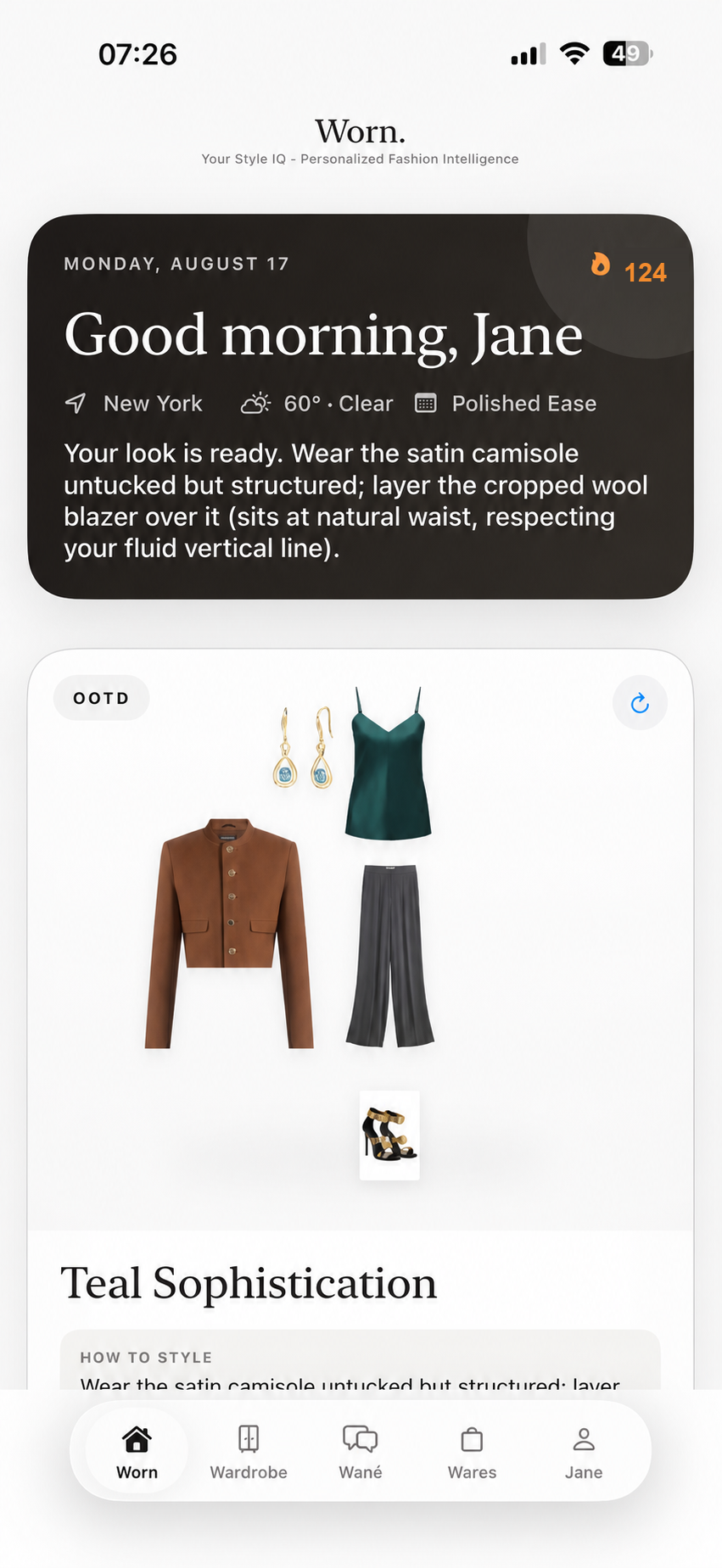
D’atour Daily presenting a personalized recommendation from weather, plans, profile, and wardrobe data with a 124 day streak
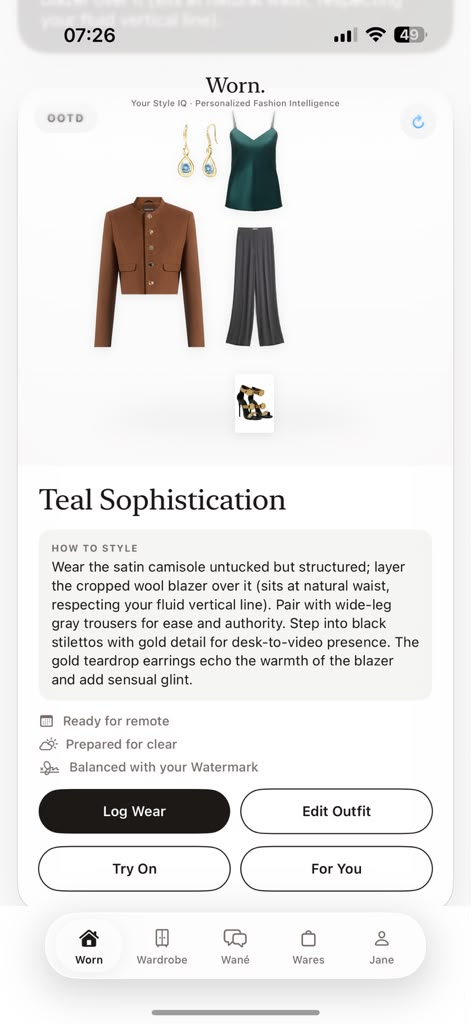
D’atour Daily showing the How to Style recommendation, context signals, and logging controls

One connected product

Every style decision.
One continuous system.

Your profile, wardrobe, recommendations, try-ons, shopping, wear history, and care records all share the same intelligence. Nothing has to be entered twice or rediscovered in another tab.

01 Personalize02 Organize03 Decide04 Learn

Begin with you

Five signals.
One Watermark.

Watermark turns five personal signals into one reusable profile. It follows you through recommendations, search, match explanations, try-ons, and wardrobe analysis.
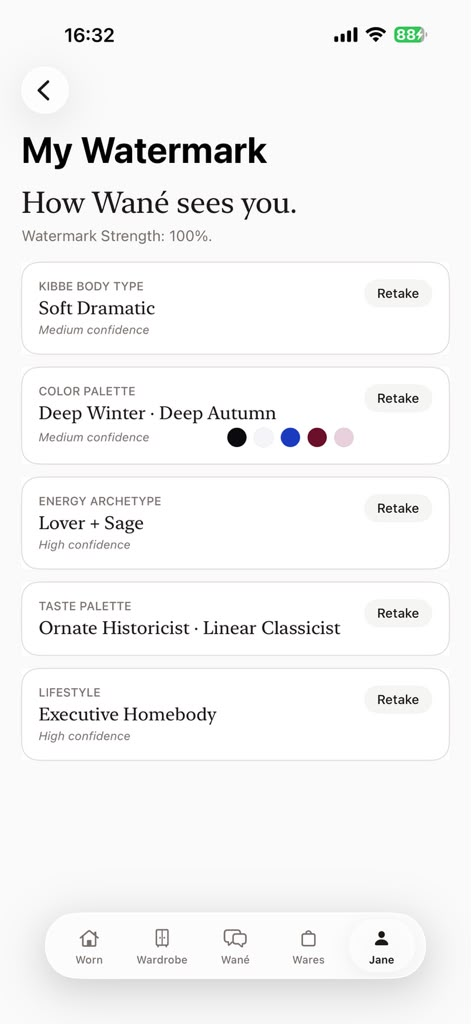
My Watermark screen showing five personal style signals in D’atour
  1. 01

    Colour Season

    Builds the palette signal used across recommendations, discovery, and analysis.

  2. 02

    Kibbe Body Type

    Adds proportion and silhouette context to styling guidance and virtual try-ons.

  3. 03

    Energy Archetype

    Defines the presence D’atour should preserve whenever it makes a recommendation.

  4. 04

    Taste Palette

    Teaches the system the visual language you consistently return to.

  5. 05

    Lifestyle

    Connects every suggestion to your routines, occasions, pace, and priorities.

Try & Style, everywhere

One Avatar.
Every try-on, connected.

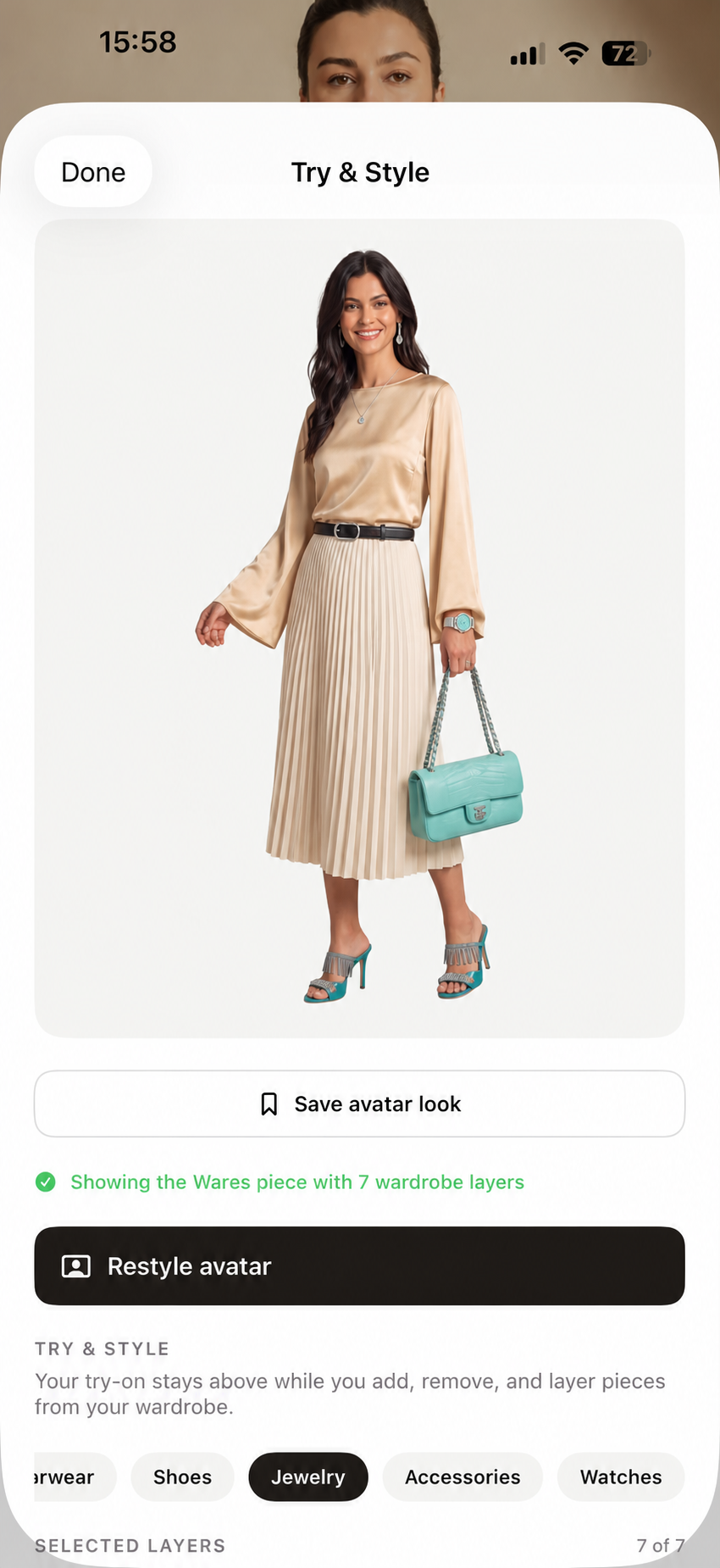
Open Try & Style from Daily, Wardrobe, Wané, or Wares. Add, remove, and layer saved or discovered items without rebuilding your avatar each time.
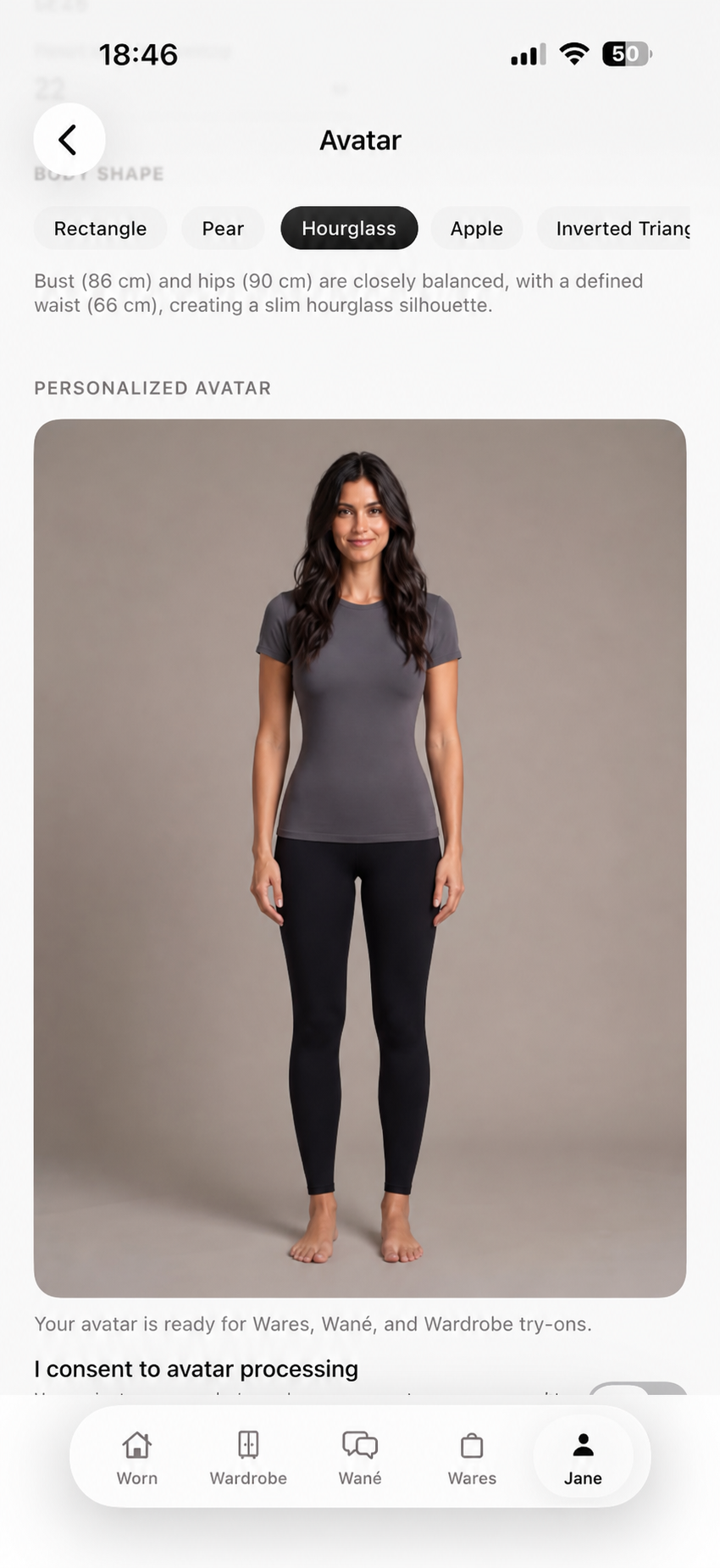
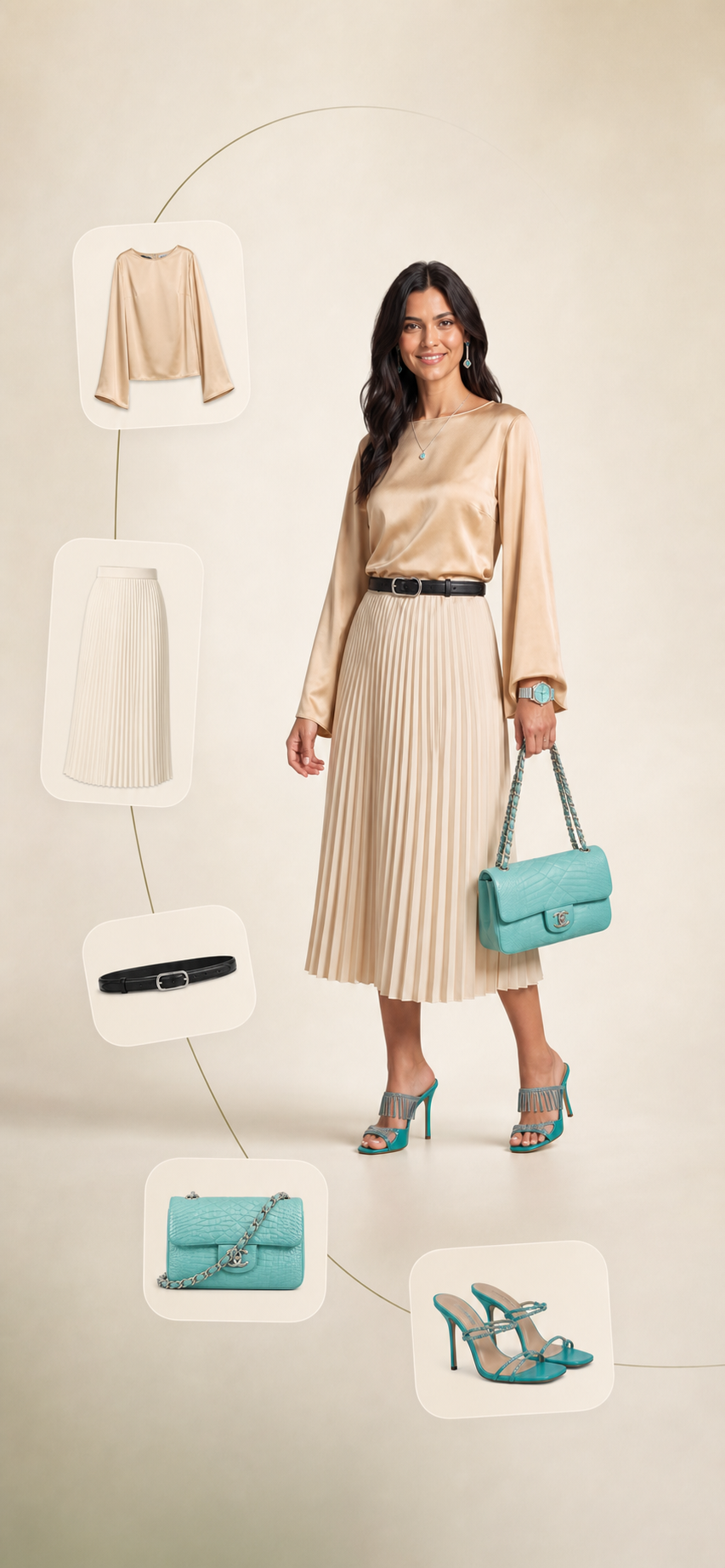
One reusable avatar across D’atour
The complete personalized Avatar page in D’atour
The same personalized avatar displaying a gold blouse outfit inside Try and Style

Fast wardrobe setup

Upload the fit pic.
D’atour builds the inventory.

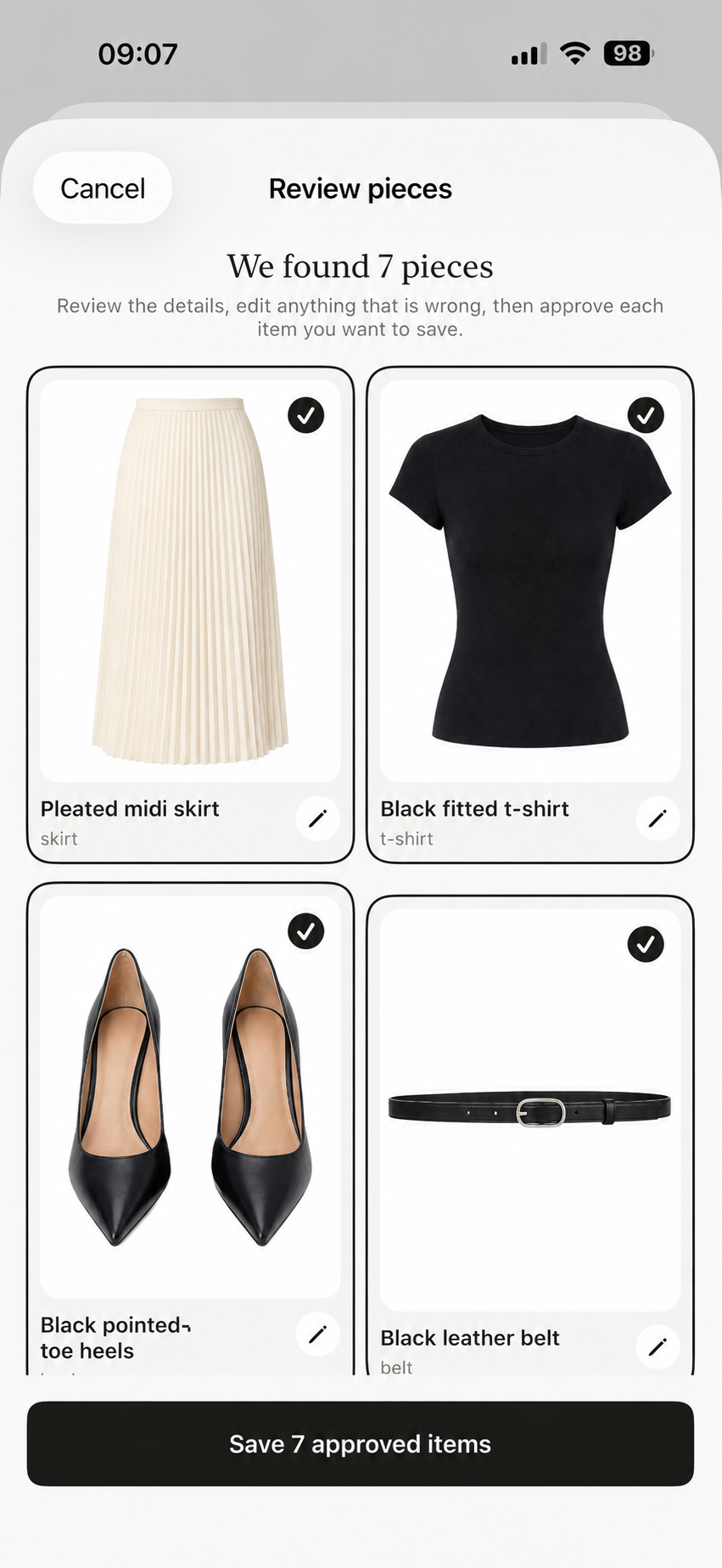
Import the images you already have. D’atour detects the visible items, prepares their details for review, and turns each approval into a structured wardrobe record.

  1. 01

    Import

    Start with one fit pic or bring in several images from your camera roll.

  2. 02

    Detect

    D’atour separates what it sees and captures the details needed to organize it.

  3. 03

    Confirm

    Review the results once, then save them to your searchable wardrobe.

A mirror fit pic uploaded to D’atour
One image—
or a batch.
D’atour presenting seven detected wardrobe records for review and approval
7 items detectedReady to review

Structured wardrobe data

Search it. Filter it.
Learn from it.

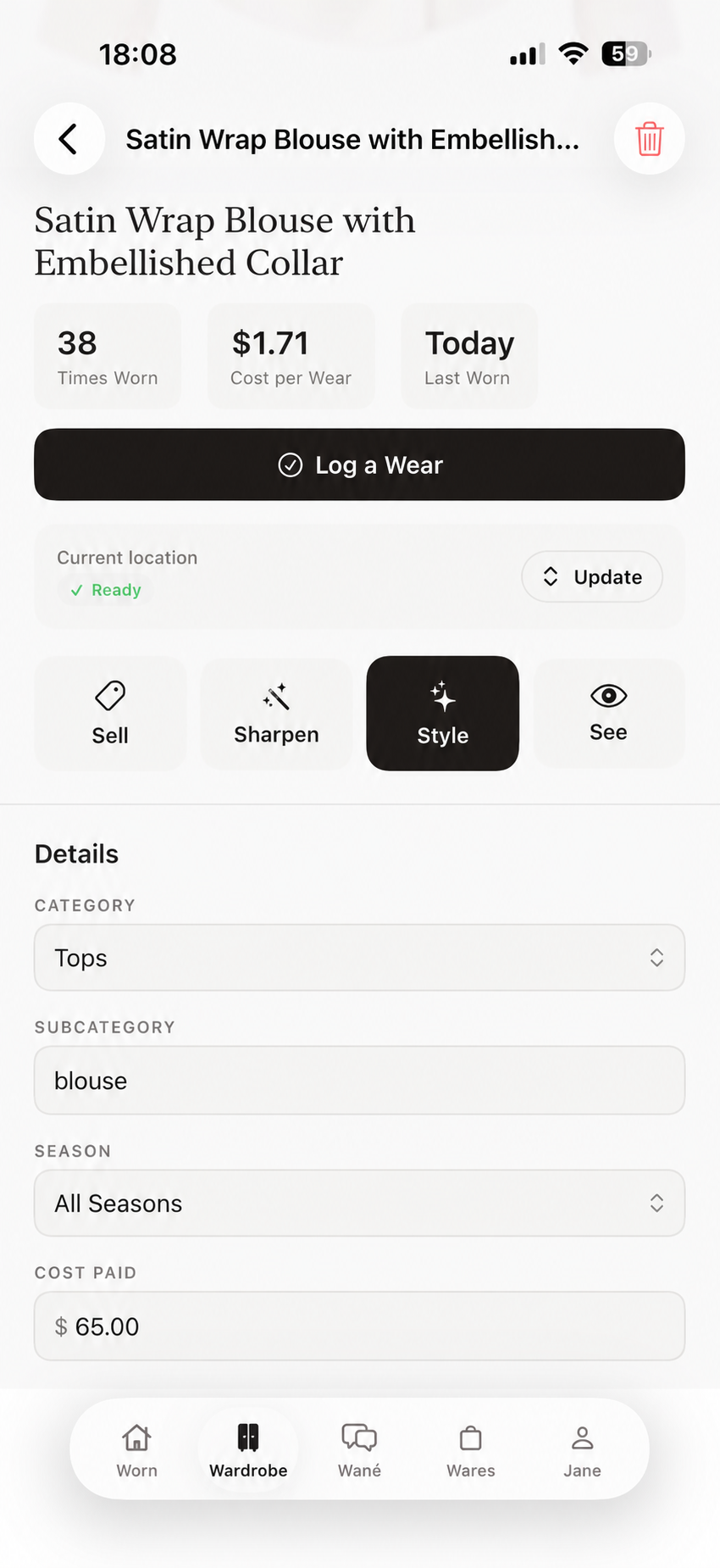
Browse saved items by category, grid, or list. Each record keeps its attributes, location, wear history, care state, and cost-per-wear available wherever D’atour needs them.
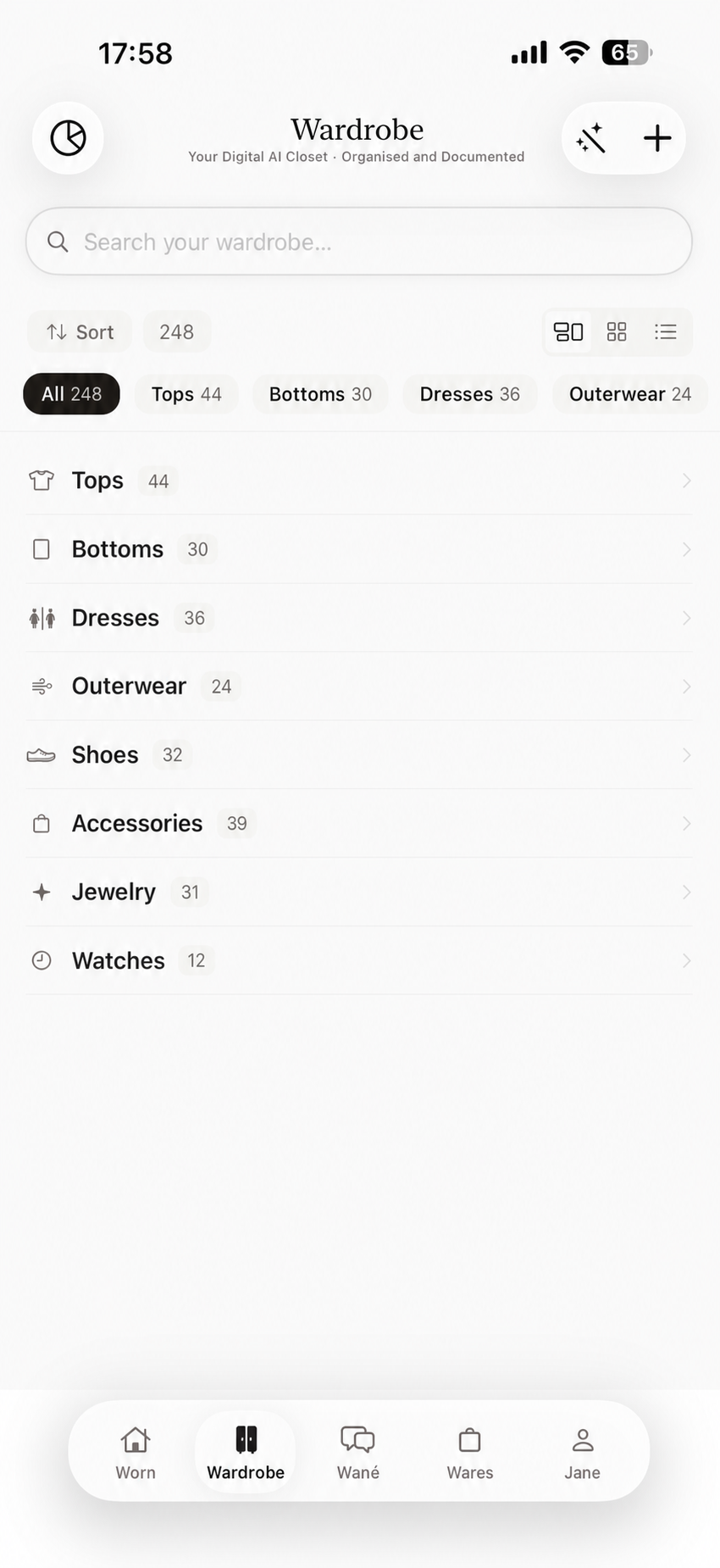
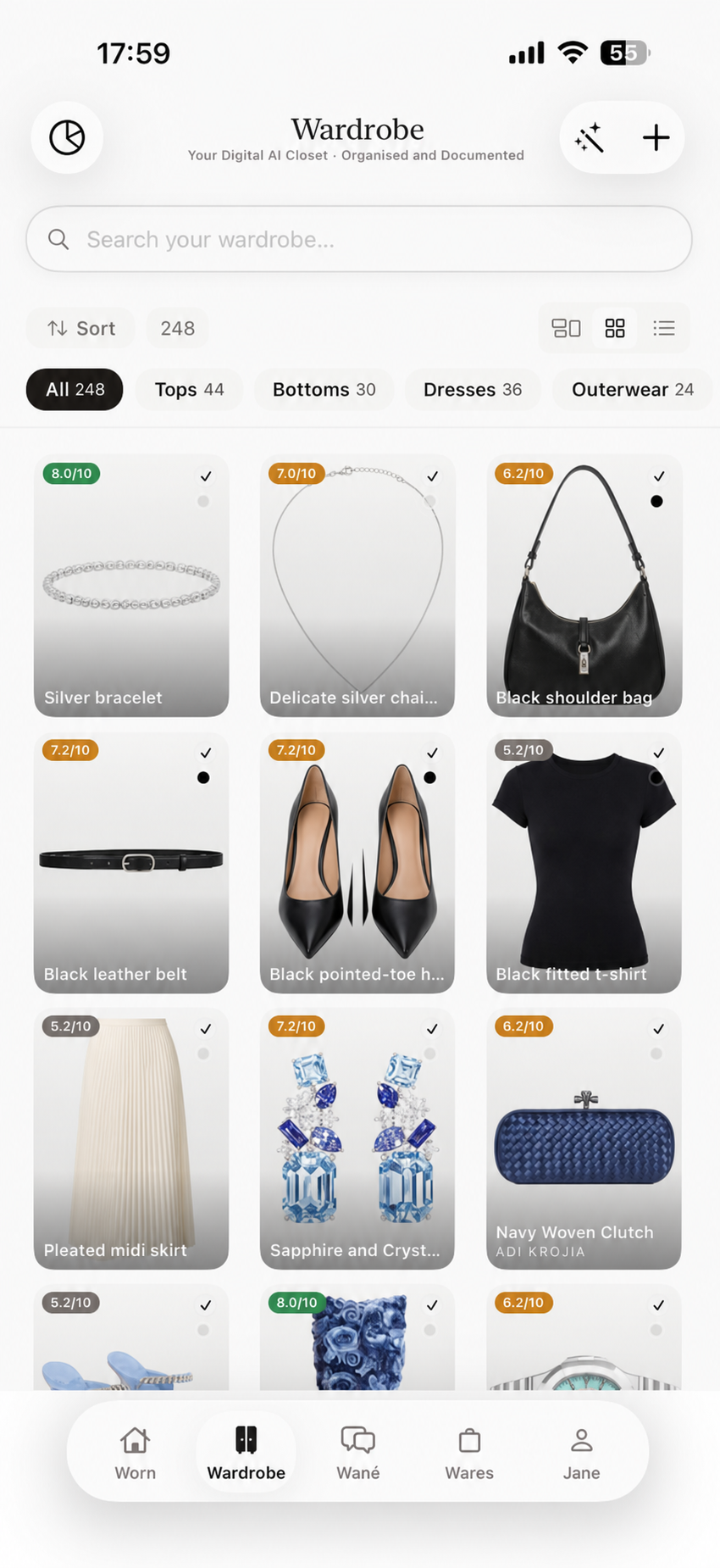
96 item records29 wear events23 in rotation
D’atour organizing saved wardrobe records into categories
01 Category view
D’atour displaying saved wardrobe records in a visual grid
02 Visual grid
A saved wardrobe record showing wear history, location, and item controls
03 Visual records

Style Journal

Your month.
Recorded automatically.

Every logged look becomes structured history. Review the calendar, measure consistency, spot repeat patterns, and give the rest of D’atour better data to work from.
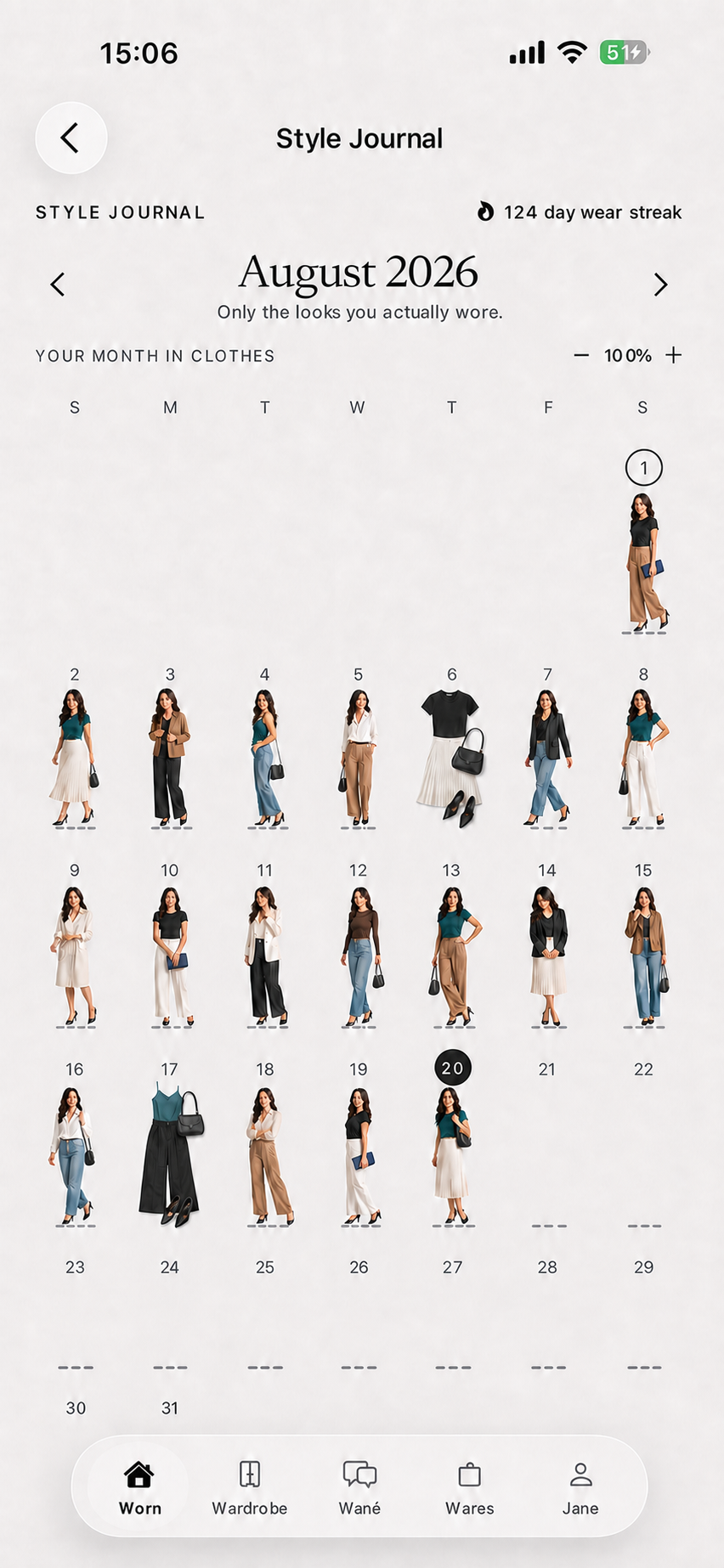
3 day streak8 looks logged12 items reused
D’atour Style Journal showing a month of logged outfits

Wardrobe intelligence

Turn activity
into usable analysis.

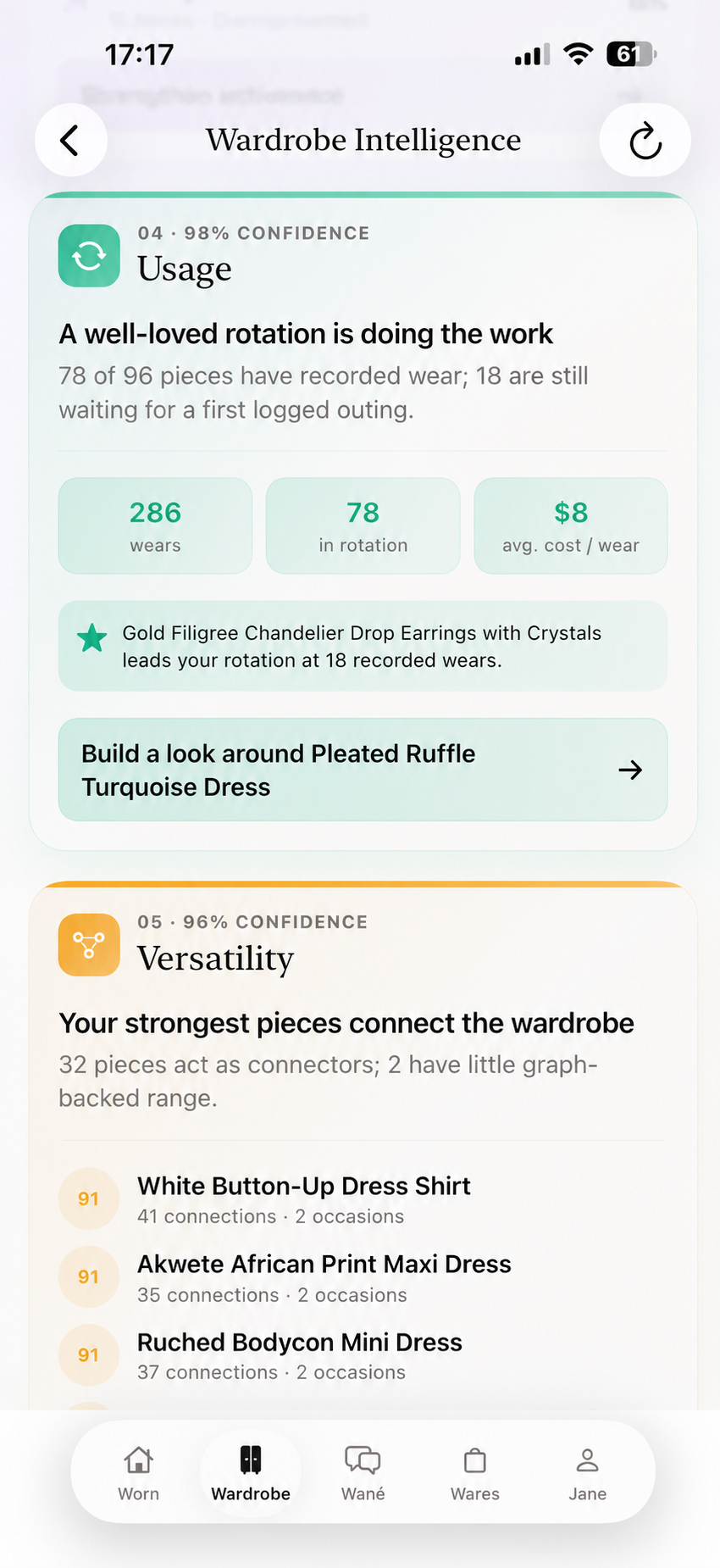
D’atour continuously calculates health, coverage, balance, usage, versatility, gaps, and opportunities from the records already in the system.

65 health score29 logged wears23 in rotation
D’atour Wardrobe Intelligence showing wardrobe health analysis
D’atour Wardrobe Intelligence showing wardrobe usage analysis

From analysis to action

See the finding.
Take the next action.

Every insight includes a clear next step: update missing data, rotate an underused item, build from what you own, repair what needs attention, or explore a justified gap.
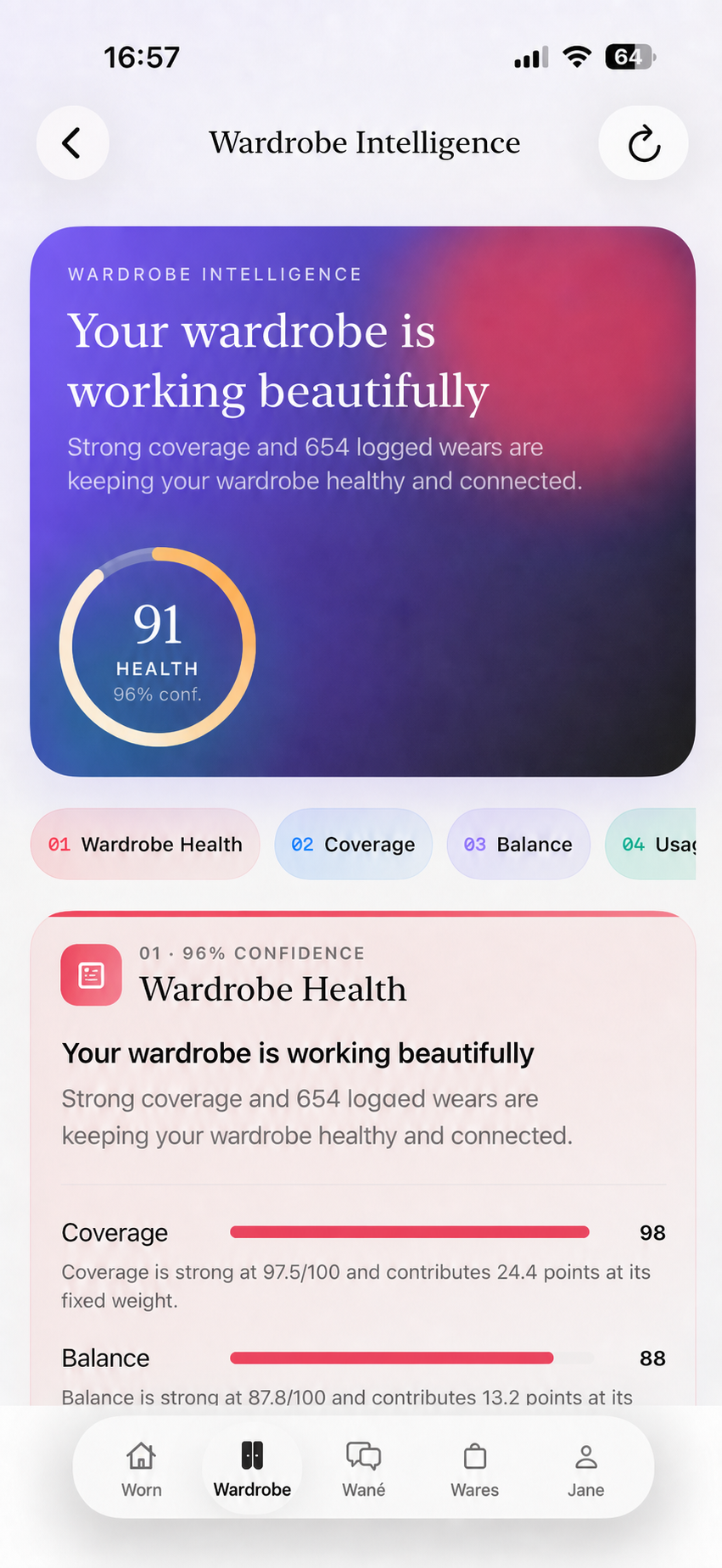
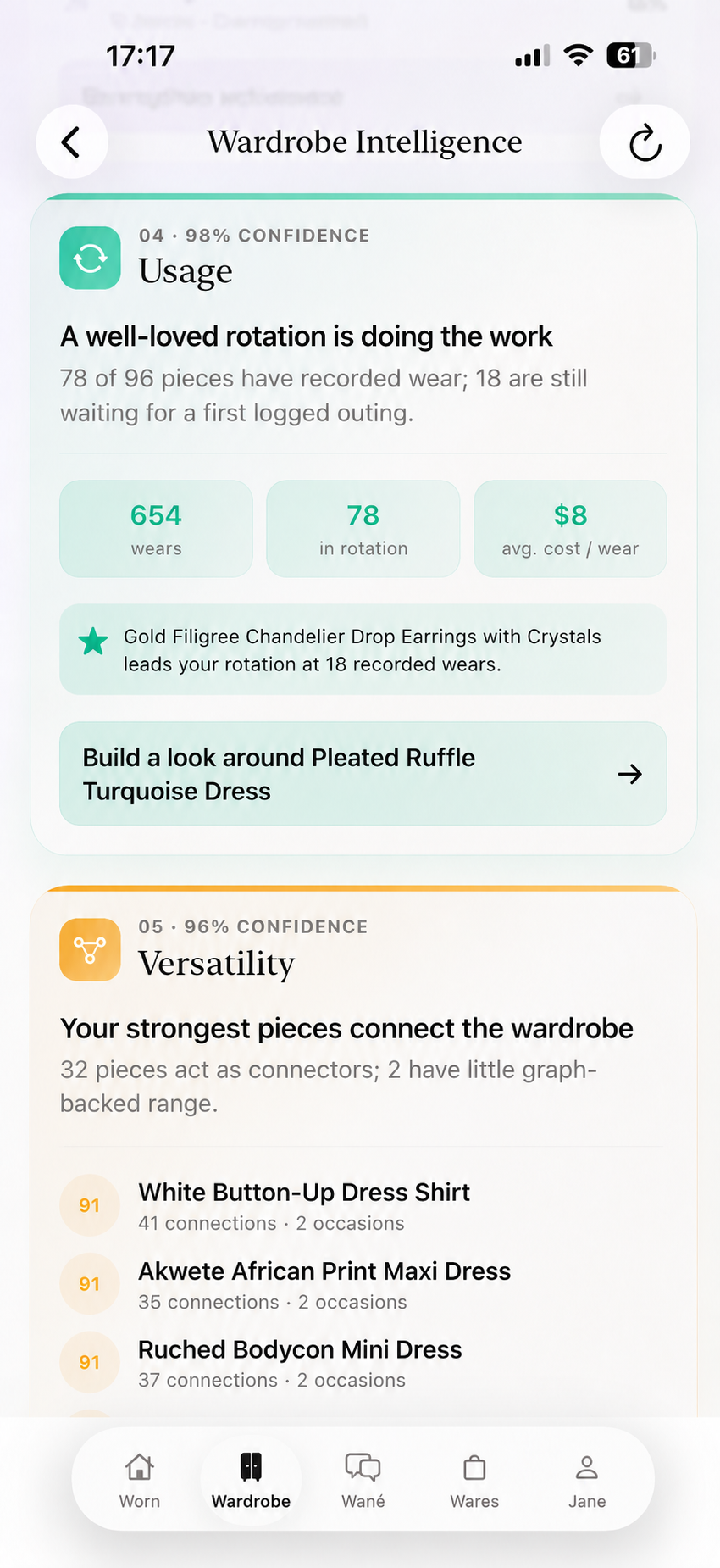
D’atour showing wardrobe coverage and balance analysis
D’atour identifying wardrobe gaps and shopping opportunities

The care loop

Care, tracked
end to end.

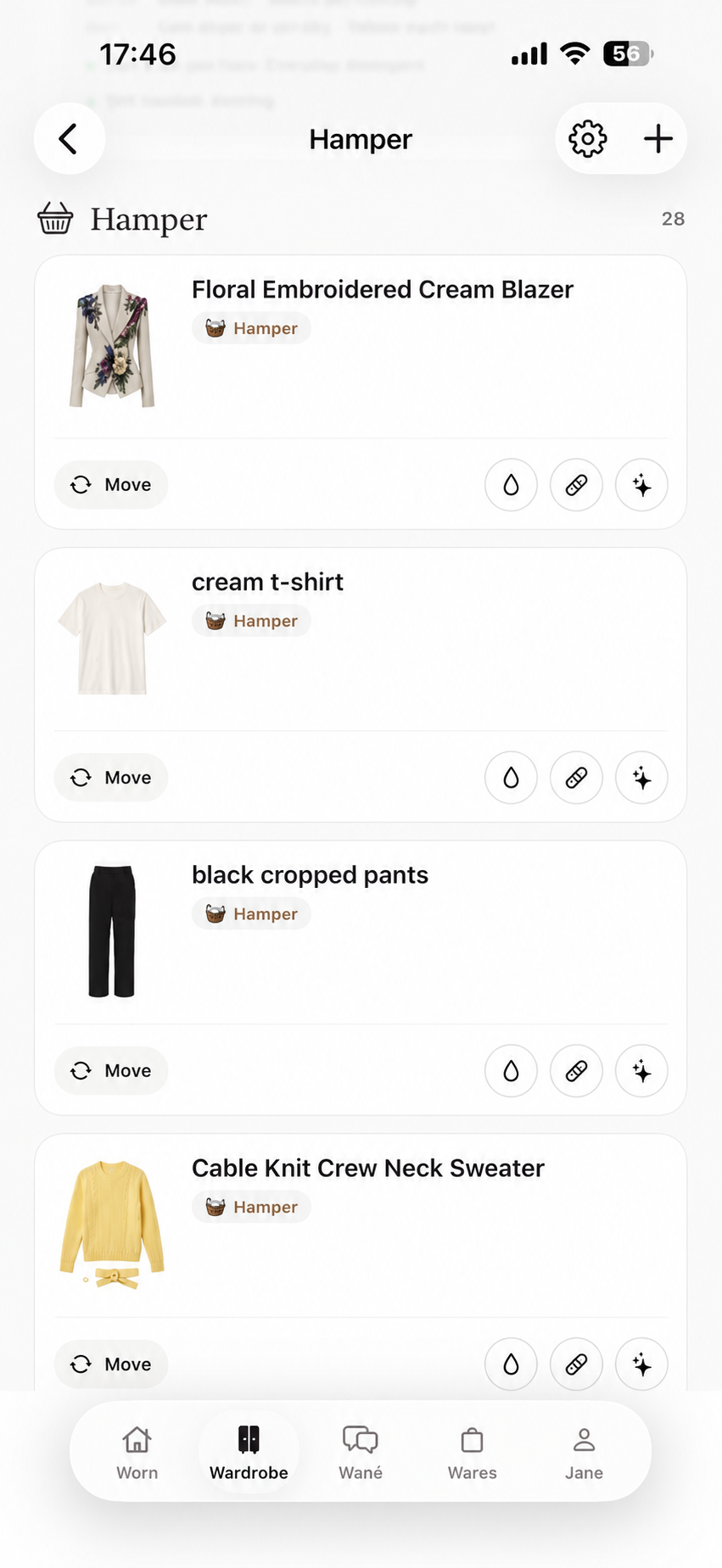
Hamper tracks what is awaiting wash, repair, or professional care, groups compatible loads, records status changes, and returns each item to its correct location.
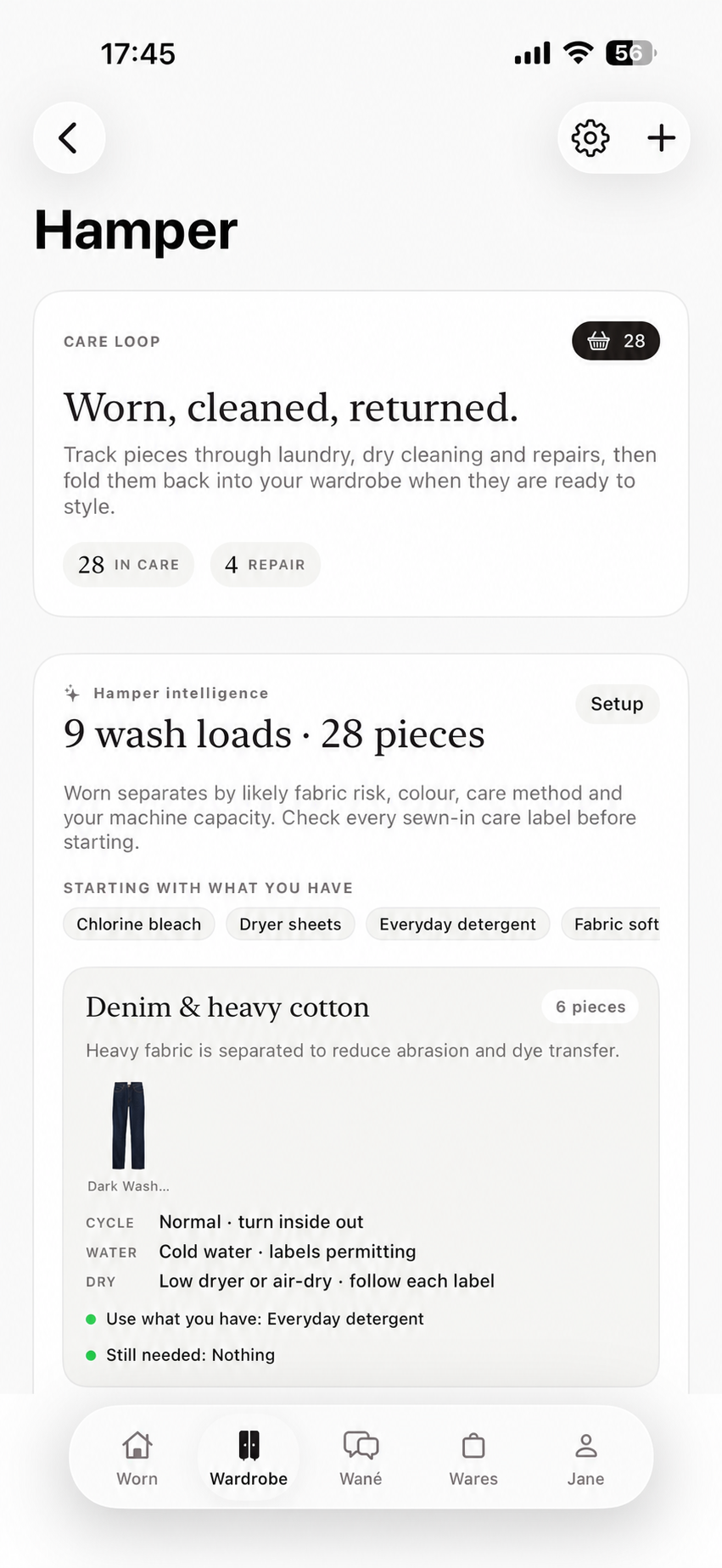
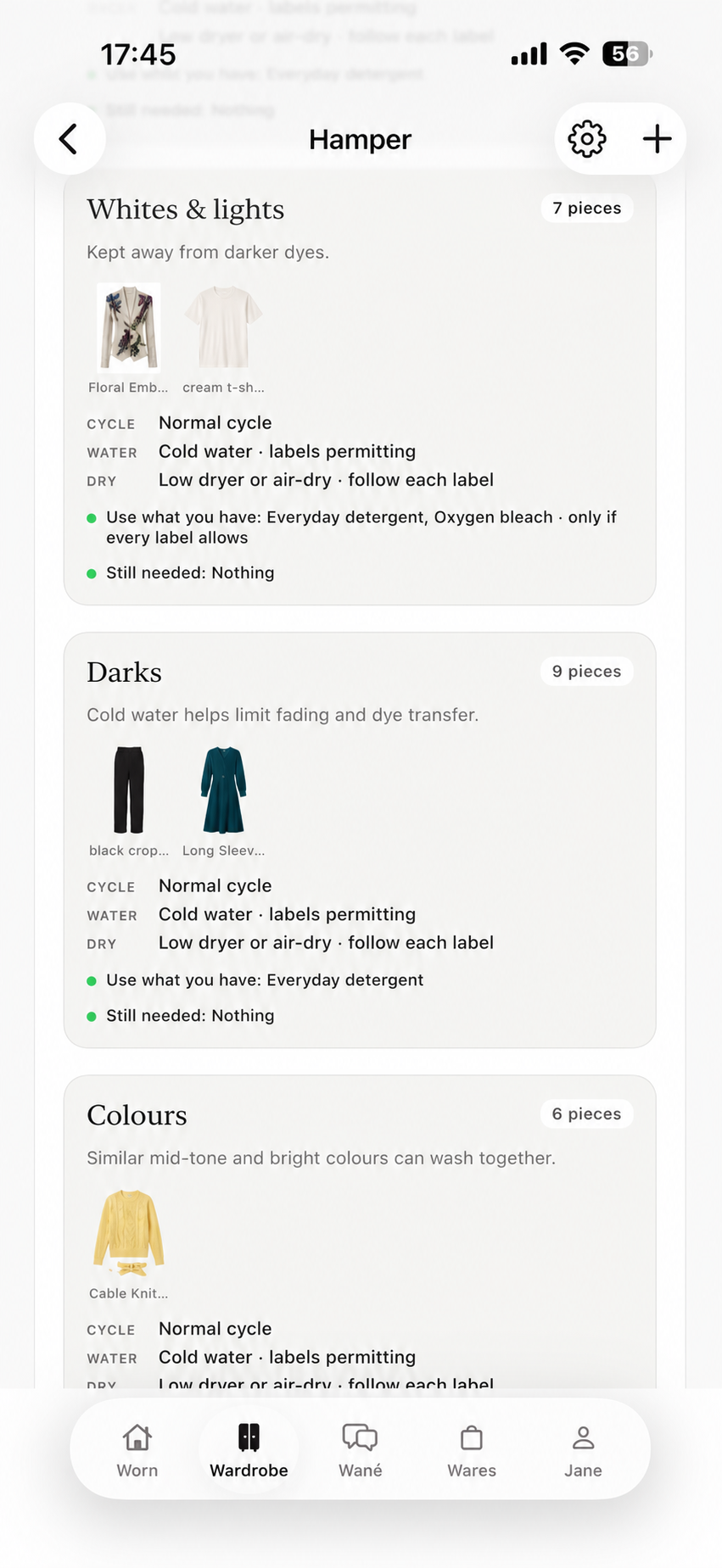
28 items in care9 wash loads4 repairs

Persistent item records

One history.
Every status change.

Wear count, current location, stains, repairs, and care activity stay attached to the same record. Update it once and the change is reflected throughout D’atour.
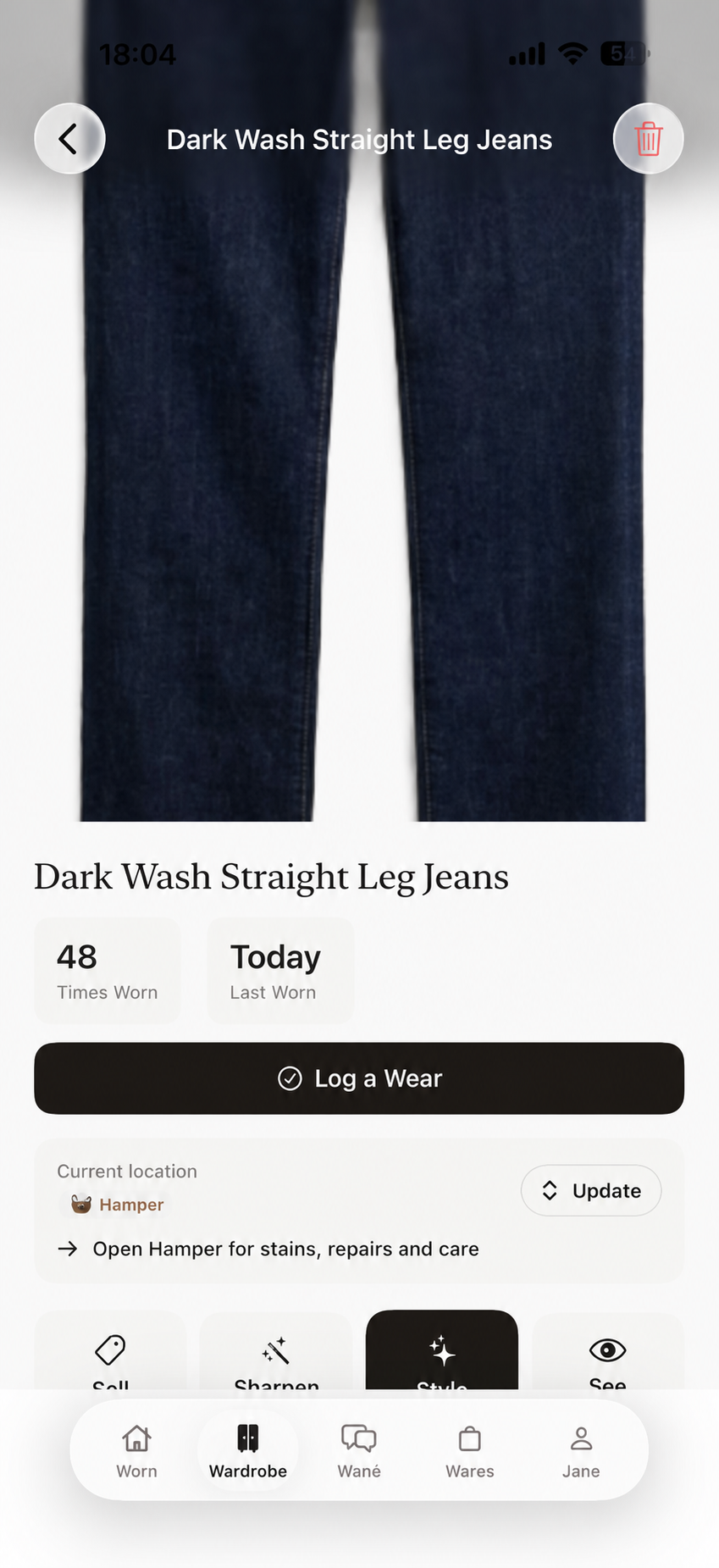
6 in care4 wash loadsHamper current location
Hamper item records with their current care location and actions
04 Open item record
D’atour form for adding a stain event to an item record
05 Record a stain
D’atour form for adding a repair event to an item record
06 Record a repair

Meet Wané

One prompt.
Three operating modes.

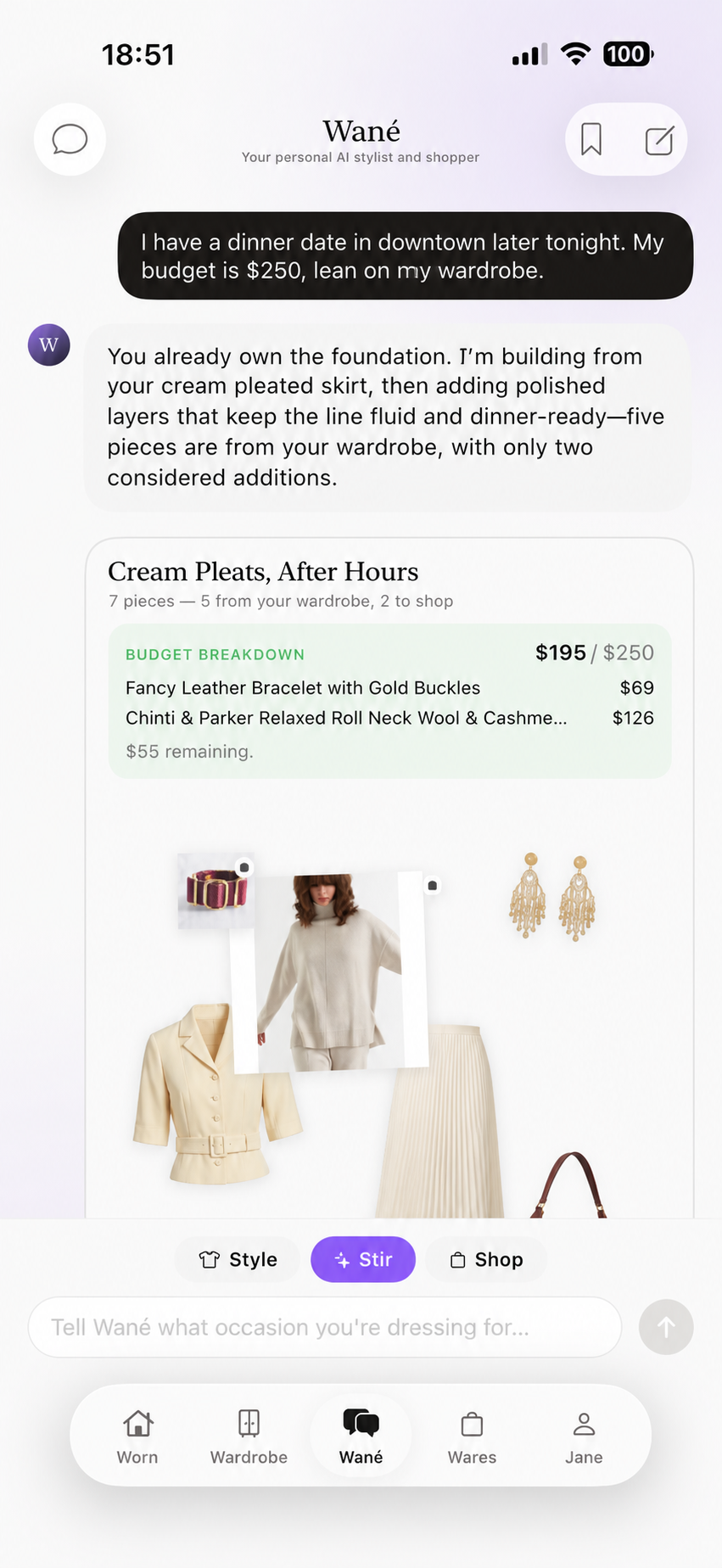
Share the occasion, budget, constraints, or intent. Then control the source: generate from your saved wardrobe, blend owned and new, or search the market from scratch.

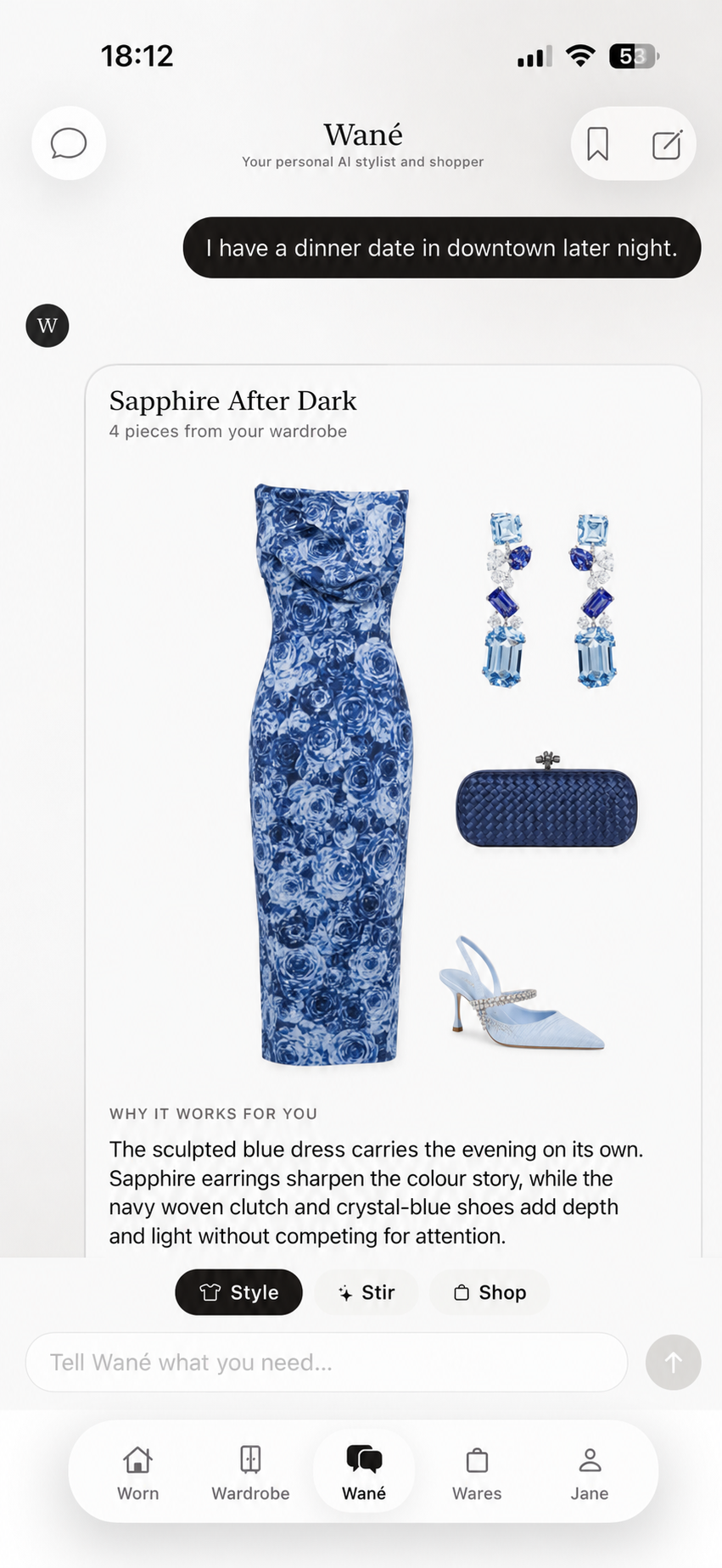
Wané Style mode generating a dinner-date recommendation entirely from the user's saved wardrobe
01

Use only my wardrobe

Style

Generates complete recommendations entirely from what is already saved in D’atour.
Wané Stir mode combining saved wardrobe items with a few suggested additions inside a budget
02

Lean on my wardrobe

Stir

Keeps owned items primary and suggests only the few additions needed to finish the plan.
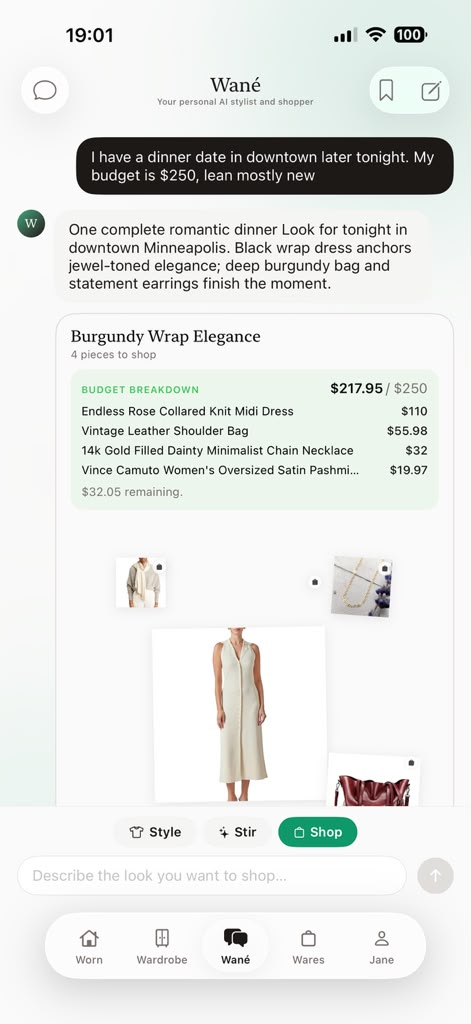
Wané Shop mode generating a complete shoppable dinner-date recommendation inside a 250 dollar budget
03

Start fresh

Shop

Builds a complete shoppable recommendation through your Watermark, context, and budget.

Wares

Personalized discovery.
Decision support built in.

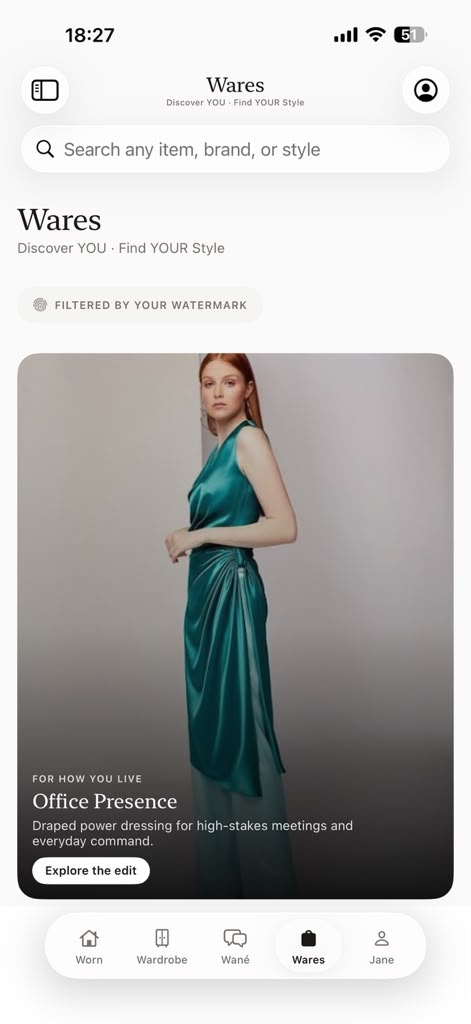
Wares applies your Watermark and wardrobe context before results appear, then explains, tests, and visualizes each option before you decide.

01 · Discovery

Multiple ways in.
One personal filter.

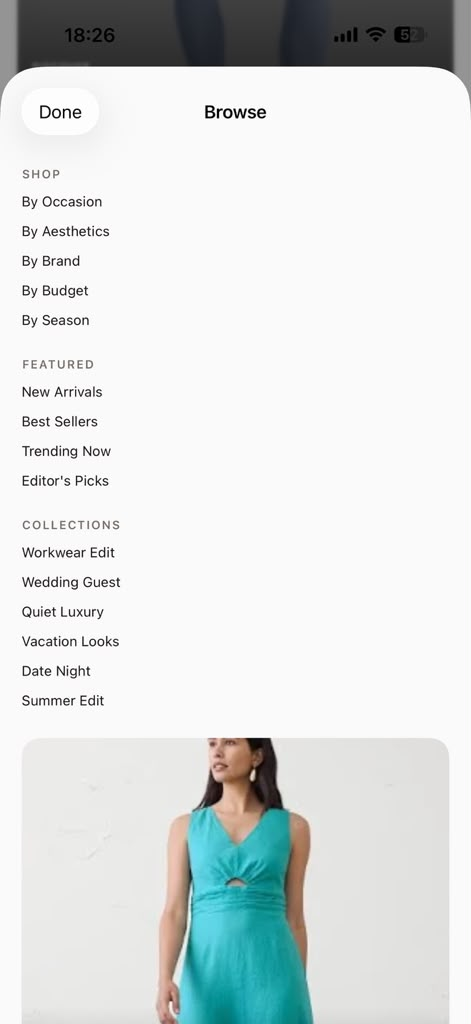
Search directly, browse by occasion, aesthetic, brand, budget, or season, or enter through a curated collection. Every route uses the same personal context.
OccasionAestheticBrandBudgetSeason
The Wares home screen presenting an Office Presence edit filtered by the user's Watermark
01 Open discovery
Wares Browse menu with routes by occasion, aesthetic, brand, budget, season, featured products, and collections
02 Choose a route
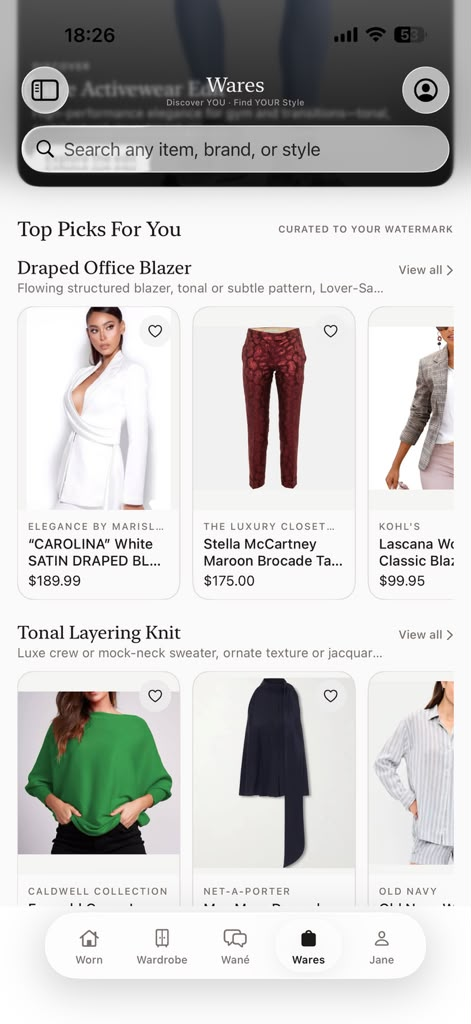
Wares product picks curated to the user's Watermark
03 Review picks
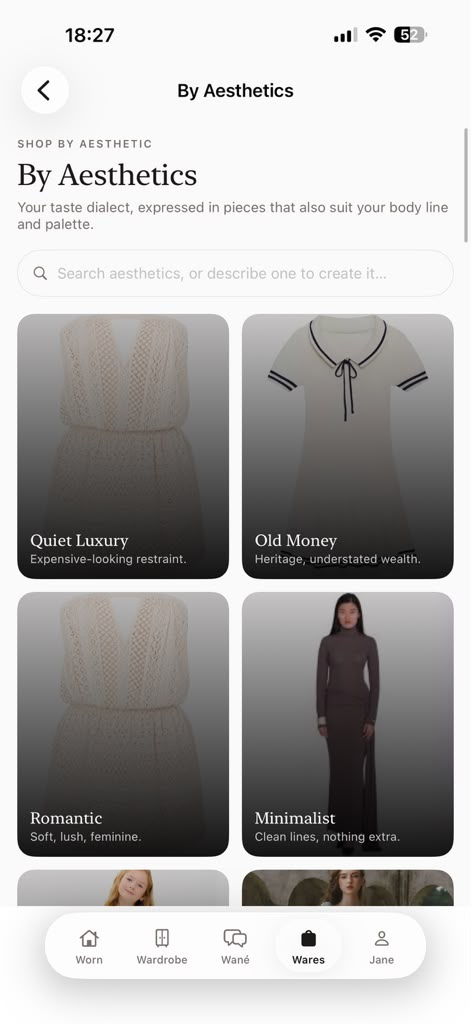
Wares aesthetic collections including Quiet Luxury, Old Money, Romantic, and Minimalist
04 Refine the lens

02 · Evaluation

Understand the match.
Test it before deciding.

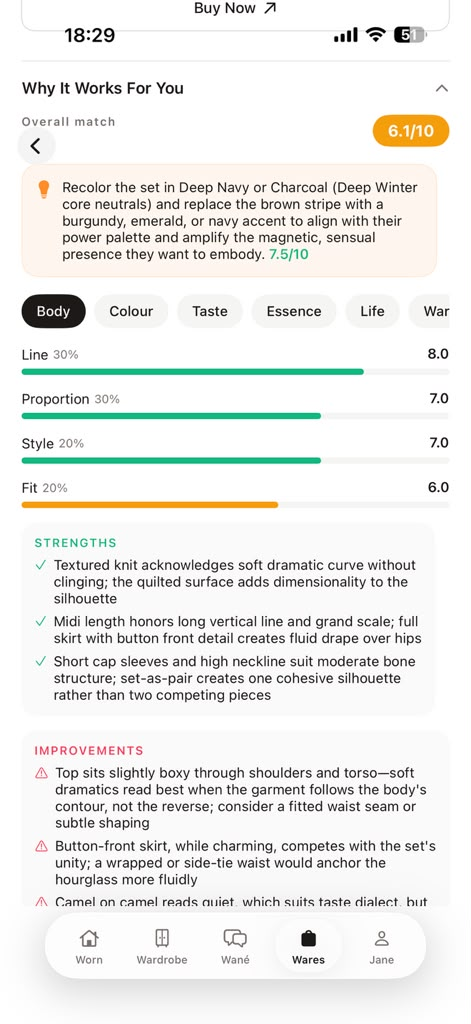
Review the match rationale, compare it with your saved wardrobe, launch Try & Style, and test complete combinations without leaving the workflow.
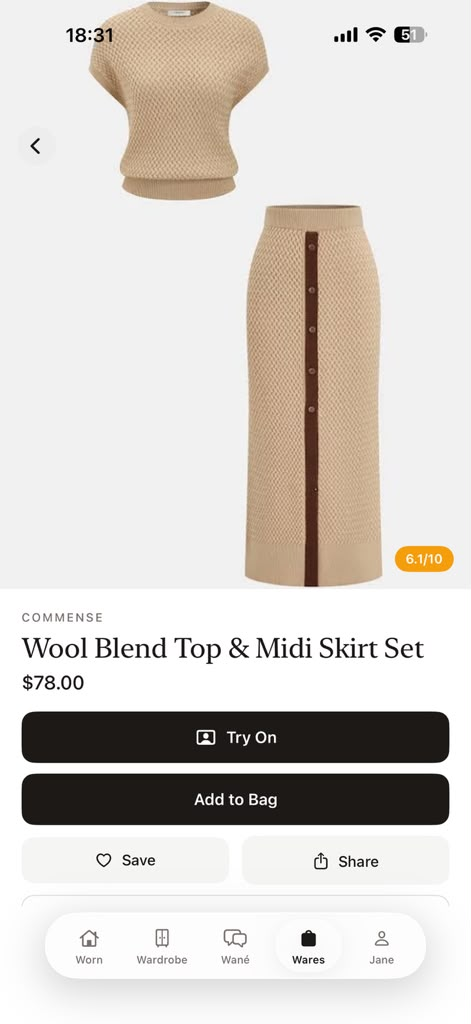
A Wares product page with match score and Try On action
01 Open a result
Wares explaining a result's match score and detailed fit rationale
02 Review the rationale
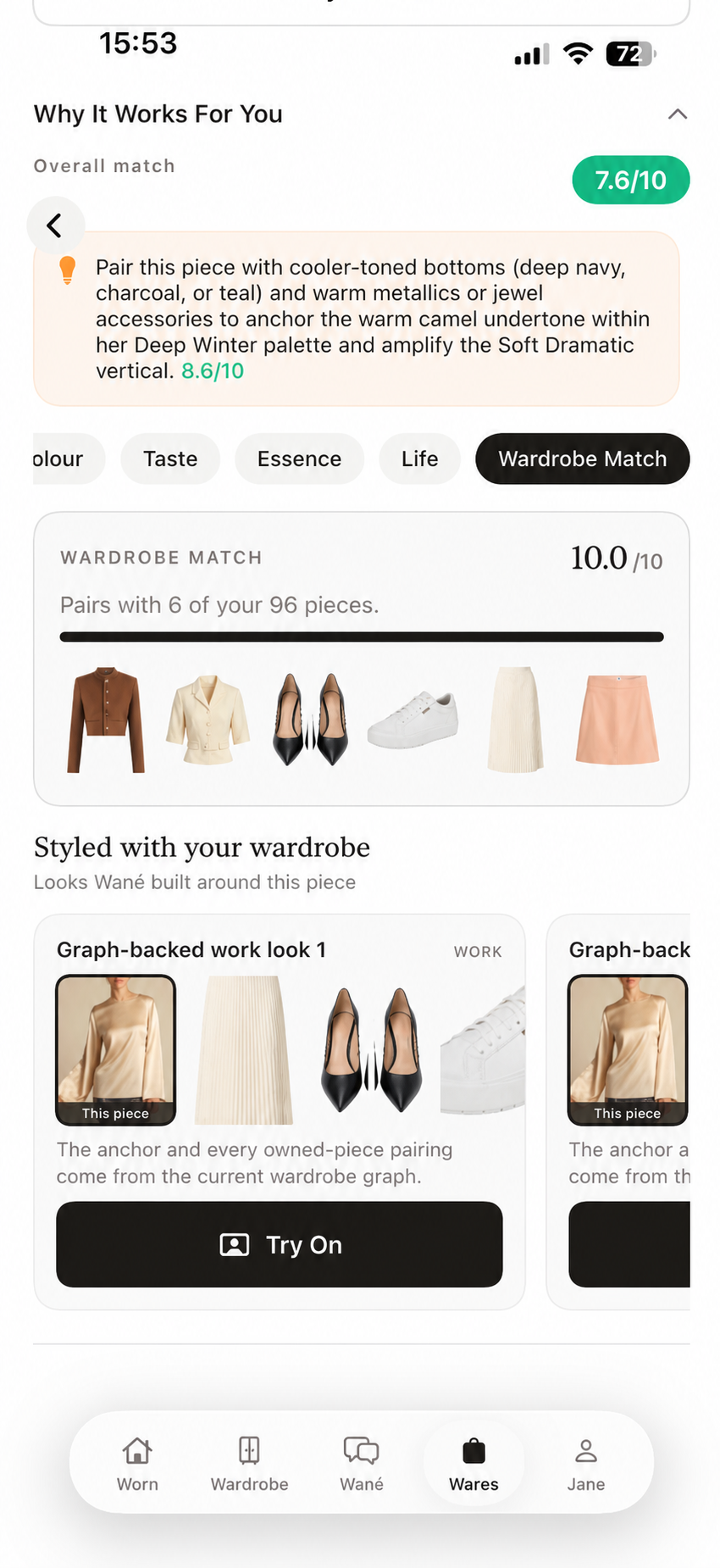
Wares showing how a result pairs with saved wardrobe pieces
03 See wardrobe match
Try and Style showing a discovered result styled with saved wardrobe layers
04 Try with wardrobe

Boards

Turn recommendations
into a reusable plan.

Group multiple recommendations for trips, work weeks, events, or capsules. Boards coordinates reuse, tracks coverage, and produces a consolidated packing list.

See the whole D’atour system
A Wané Board coordinating multiple recommendations and a packing plan for a trip
W.

D’atour · Your Style IQ

Your style data.
Working as one system.

Join the waitlist for the connected system bringing personalization, wardrobe management, recommendations, try-on, shopping intelligence, planning, and care together.